

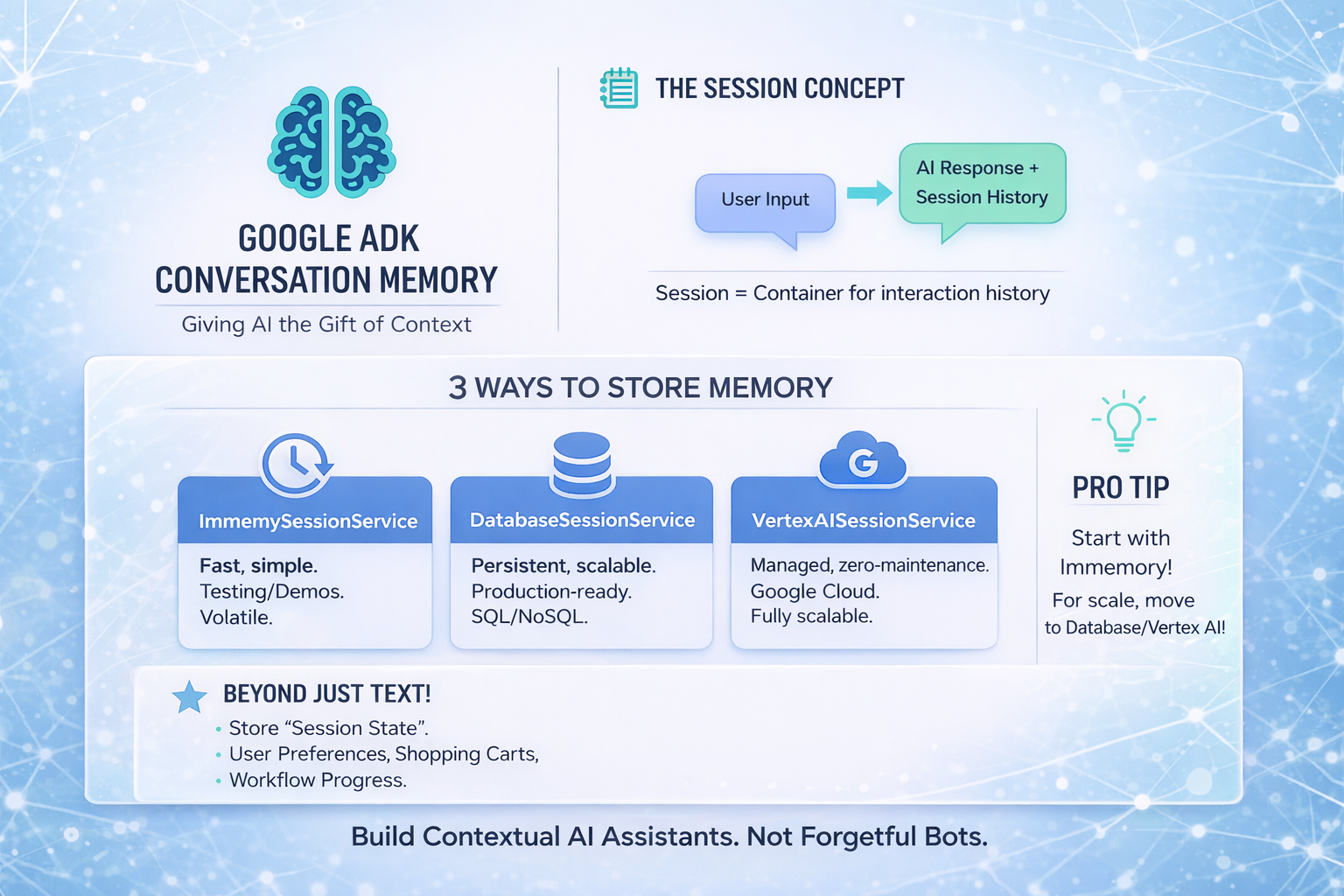
Give the AI agents the gift of remembering
Ever chatted with an AI that forgot what you said two messages ago? Frustrating, right?
That's because most AI models are stateless — they don't remember anything between calls. Every request starts fresh, like meeting someone with amnesia.
Google's Agent Development Kit (ADK) solves this with built-in conversation memory. Let's see how it works.
The Problem: Stateless AI
Here's what happens without memory:
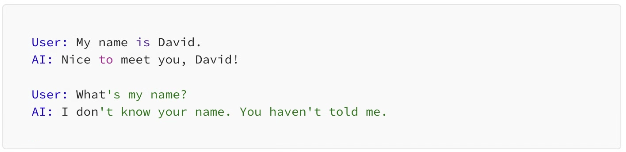
Ouch. The AI has no memory of the previous exchange. Each message exists in isolation.
For real conversations, this doesn't work. You need context. You need memory.
ADK's Solution: Session Memory
ADK introduces the concept of a Session — a container that holds the conversation history between a user and your agent.
Think of it like this: the Session is a notebook where ADK writes down everything that's been said. When the user sends a new message, ADK hands the AI the entire notebook for context.
Here's the simplest way to use it:
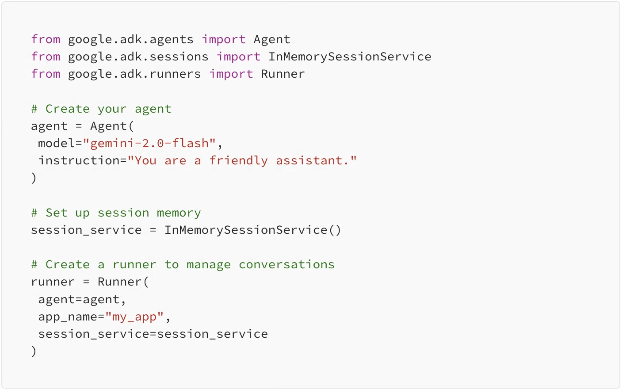
Now every conversation automatically gets tracked and remembered.
Three Types of Memory Storage
ADK gives you options for where to store conversation history:
1. InMemorySessionService
Stores everything in RAM. Fast and simple, but conversations vanish when your app restarts.

Best for: Development, testing, single-session demos.
2. DatabaseSessionService
Persists conversations to a database. Survives restarts and works across multiple servers.
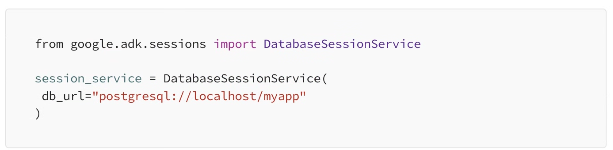
Best for: Production apps where you need persistent memory.
3. VertexAISessionService
Uses Google Cloud's managed infrastructure. Zero maintenance, scales automatically.
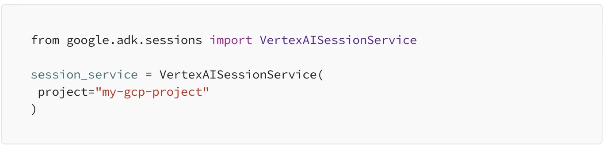
Best for: Enterprise apps on Google Cloud.
A Complete Example
Let's put it all together with a working chatbot:
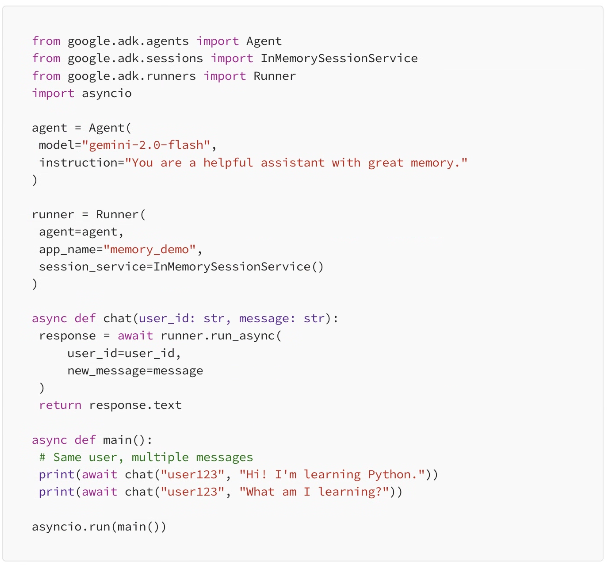
The second question — "What am I learning?" — gets answered correctly because ADK remembers the first message. The user_id ties both messages to the same session.
Session State: Beyond Conversation History
ADK also lets you store custom data in the session — things like user preferences, shopping carts, or workflow progress.
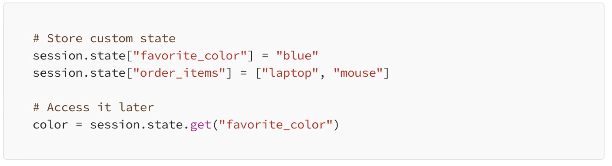
This state persists alongside the conversation history, giving your agent a rich context to work with.
Tips for Managing Memory
Use unique user IDs. Each user should have their own session. Don't mix conversations.
Consider memory limits. Very long conversations can hit token limits. ADK handles truncation, but design accordingly.
Clean up old sessions. In production, implement session expiration to manage storage.
Start with InMemory. Get your app working first, then switch to persistent storage for production.
Wrapping Up
Memory transforms a forgetful chatbot into a contextual assistant. With ADK's session management, you get this out of the box.
The pattern is simple: create a session service, pass it to your runner, and ADK handles the rest. Your agent automatically remembers past messages and can reference them naturally.
Start with InMemorySessionService for development, then graduate to database or cloud storage when it is ready for production.
Leave A Comment