

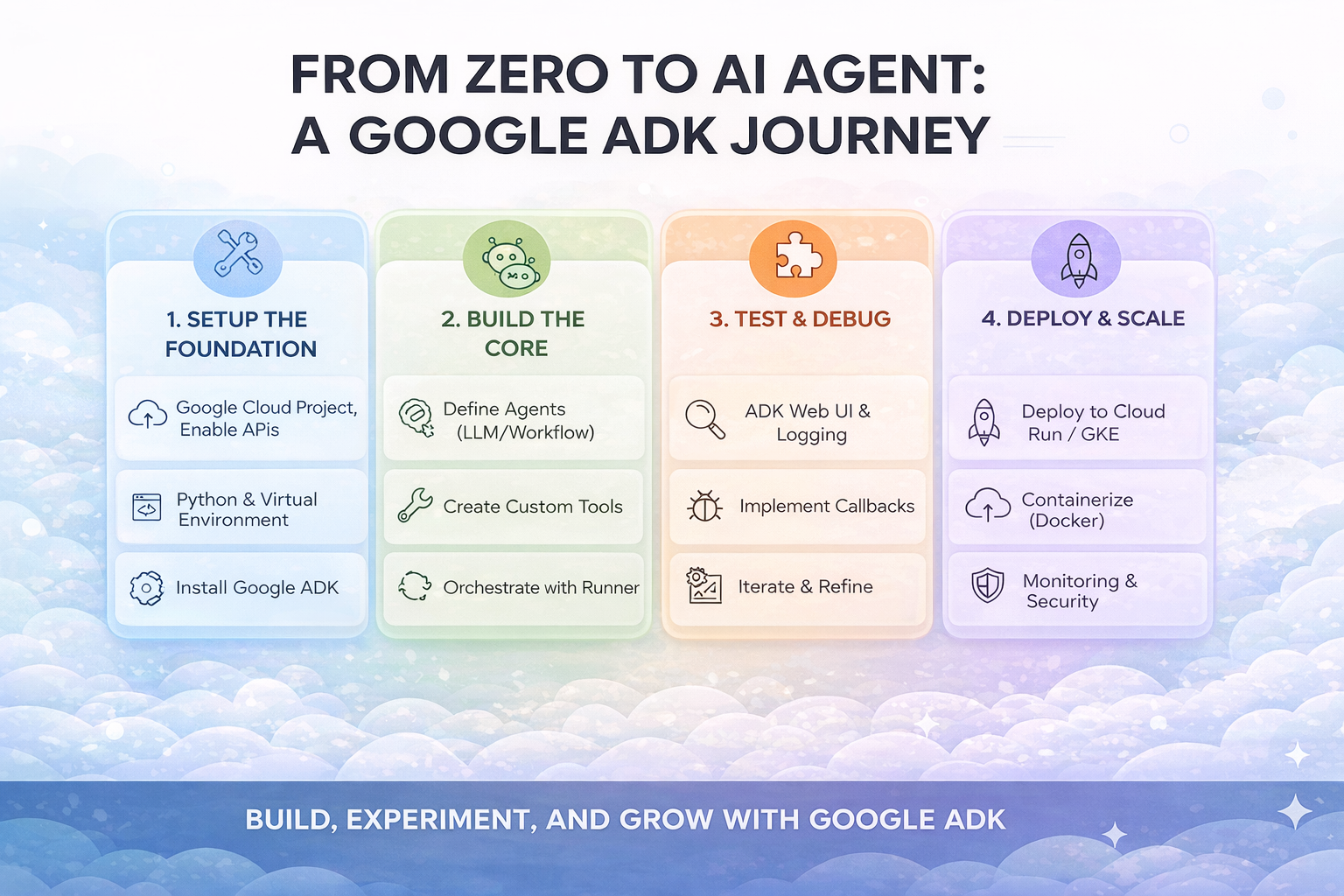
Build your first AI agent in 15 minutes — no PhD required.
I remember the first time I tried to build an AI agent. I spent three days reading documentation, watching tutorials, and still couldn't get a simple chatbot to call a function. Sound familiar?
That was before I discovered Google's Agent Development Kit (ADK). I built a working multi-agent system in an afternoon. Let me take you on the same journey.
What Are We Building?
By the end of this article, you'll have a personal assistant agent that can check the weather, tell jokes, and know when to use each skill. Nothing fancy — just enough to understand how ADK works.
More importantly, you'll understand the mental model behind building agents. Once you get that, everything else clicks into place.
Step 1: Setup (2 Minutes)
First, let's get ADK installed. Open your terminal:

You'll need a Google AI API key. Grab one free from ai.google.dev. That's it for setup. Seriously.
Step 2: Your First Agent (5 Minutes)
Here's the thing about ADK that blew my mind: an agent is just a Python object with instructions. Create a file called my_agent.py:
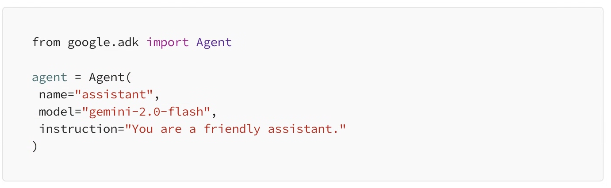
That's a working agent. Three lines of real code. Run it with ADK's built-in UI:

Open your browser to localhost:8000 and start chatting. But right now, our agent can only talk. Let's give it superpowers.
Step 3: Adding Tools (5 Minutes)
Tools are how agents do things. In ADK, a tool is just a Python function with a docstring. The docstring tells the AI when to use it.
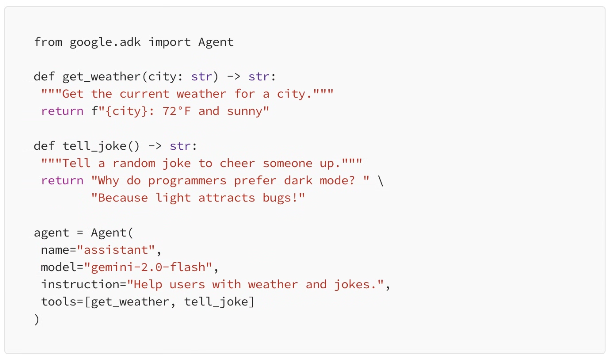
Now when you ask "What's the weather in Tokyo?" the agent calls get_weather. Ask "I'm feeling down" and it calls tell_joke. The AI figures out which tool to use based on context. Magic? No, just good docstrings.
Step 4: Going Multi-Agent (3 Minutes)
Here's where it gets fun. What if you want specialized agents that work together? ADK makes this dead simple with sub_agents:
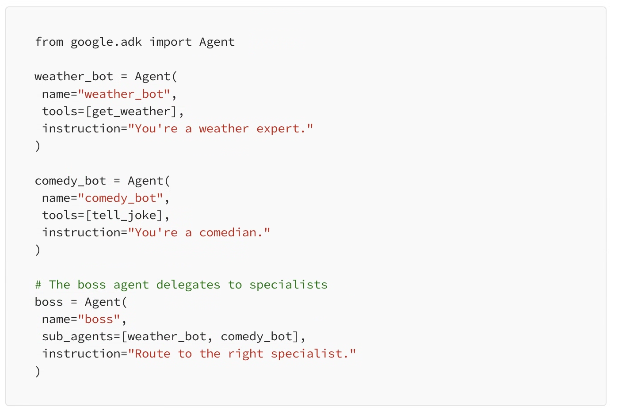
The boss agent automatically routes requests to the right specialist. Weather questions go to weather_bot, humor requests go to comedy_bot. This is the foundation of every complex agent system.
The "Aha!" Moment
Here's what took me too long to understand: agents are just functions with natural language interfaces. Instead of calling get_weather('Tokyo'), users say "What's the weather in Tokyo?" and the AI translates.
That's it. That's the whole concept. Everything else — multi-agent systems, tool selection, conversation memory — builds on this simple idea.
What's Next?
You've just built your first agent system. From here, you can add real APIs instead of mock data, connect to databases using MCP tools, deploy to Google Cloud with one command, or build complex workflows with sequential and parallel agents.
The beautiful thing about ADK is that it scales with you. Start simple, add complexity only when you need it.
Quick Links
• Install: pip install google-adk
• Docs: google.github.io/adk-docs
• API Key: ai.google.dev
Leave A Comment